
Prerequisites
We are using an OLED SSD1306 0.96 inches screen Aliexpress. It is a simple I2C, easy to use screen that can be used to show simple data.

This post is being written as I work in the MicroPowerMeter in which I have a STM32C071 to do be the interface between the device and the Host PC. Therefore, in this post I will use the same STM32C071 that I mounted in the MicroPowerMeter PCB.
I am using the configuration below in the CubeMX from ST. The STM32 project needs an I2C interface enabled with High speed mode.


Available libraries
Before reinventing the wheel, let’s have a look at open source libraries that appears on google.
- @4ilo: MIT License. https://github.com/4ilo/ssd1306-stm32HAL
- @afiskon: MIT License. https://github.com/afiskon/stm32-ssd1306
I will go with the 4ilo library. It seems simpler but still very configurable. Let’s have a look at the interface:
uint8_t ssd1306_Init(I2C_HandleTypeDef *hi2c);void ssd1306_UpdateScreen(I2C_HandleTypeDef *hi2c);void ssd1306_Fill(SSD1306_COLOR color);void ssd1306_DrawPixel(uint8_t x, uint8_t y, SSD1306_COLOR color);char ssd1306_WriteChar(char ch, FontDef Font, SSD1306_COLOR color);char ssd1306_WriteString(const char* str, FontDef Font, SSD1306_COLOR color);void ssd1306_SetCursor(uint8_t x, uint8_t y);void ssd1306_InvertColors(void);The library uses a two stage buffer, a technique commonly known as double buffering. The user writes to a buffer that mirrors the screen.
Once all the pixels are configured in the buffer, the entire display is update once using ssd1306_UpdateScreen(...).
This methods has its pros and cons. Using double buffering increase performance. Since the primary bottleneck is the I2C communication between the mcu and the OLED using I2C; therefore limiting the data transfer to the screen to just one point limits the bottleneck communication to one point, minimizing communication overhead. More info in Wikipedia.

On the other hand, doing double buffering can comes to a cost. When the screen is updated using the ssd1306_UpdateScreen(...) the whole buffer is sent
to the display, even the content of the buffer has not been updated. Also, image you just want to change one pixel in the screen. You would need
to write the new pixel to the buffer, and then send the whole buffer increasing the time required to udpate that pixel.
In my case I will probably will need low level (direct display update) functions for fast update of single pixels or lines, to show fast changing events. However, for the initial setup the API provided is more than enough.
Important
Adding the library
In my STM32 project I have created a Libs folder, which contains 3rd party libraries, where I can clone the library with:
git clone https://github.com/4ilo/ssd1306-stm32HAL.gitThen we need to modify the CMakeLists.txt to add the library to the compilation, first we add the required source code files and then
the include directory to find the headers.
# Add sources to executabletarget_sources(${CMAKE_PROJECT_NAME} PRIVATE # Add user sources Libs/ssd1306-stm32HAL/lib/ssd1306.c Libs/ssd1306-stm32HAL/lib/fonts.c)
# Add include pathstarget_include_directories(${CMAKE_PROJECT_NAME} PRIVATE # Add user defined include paths Libs/ssd1306-stm32HAL/lib)This library has the hal include hardcoded, so the include file has to be changed to match your STM32 family.
#include "stm32f4xx_hal.h"#include "stm32c0xx_hal.h"Programming the Screen
//...#include "ssd1306.h"//...
int main(){
// ... Other code ...
ssd1306_Init(&hi2c2); // Initialize the SSD1306
ssd1306_Fill(Black); ssd1306_UpdateScreen(&hi2c2); // hi2c2 is because I am using the I2C2 from CubeMX.
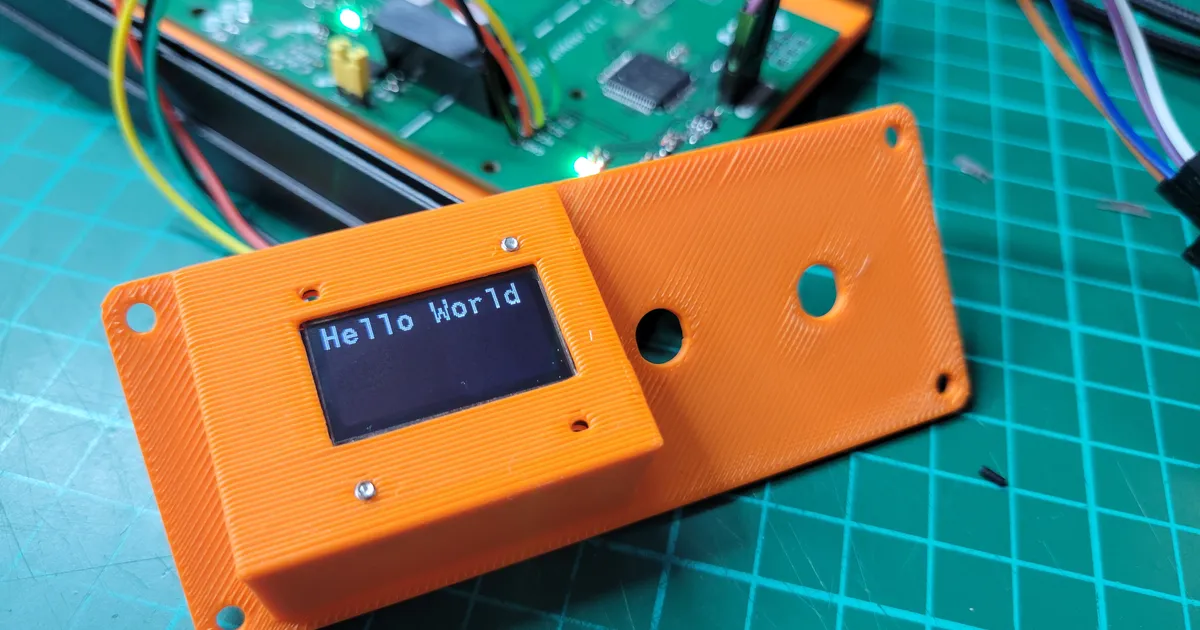
ssd1306_SetCursor(0, 0); ssd1306_WriteString("Hello World", Font_11x18, White); ssd1306_UpdateScreen(&hi2c2); // This function is the one actually writing to the screen. while(1) { // main loop... }
}
And that is all, with this we have a basic demo working with an STM32C071 and the OLED screen.